Prompt hierarchy data sheet: what to mark and why

A prompt hierarchy data sheet records two things on every try: whether the skill got done, and how much help it took. In special education that difference is the whole goal: “wipes the table” and “wipes the table after a hand-over-hand prompt” are two very different Tuesdays.
Here’s what to mark, why, and a sheet that fits on a clipboard.
What is a prompt hierarchy?
A prompt is any help you give so the student gets it right. A prompt hierarchy puts those kinds of help in order, from least help to most. A common version:
- I, independent: no help. The student starts and finishes on their own.
- G, gesture: you point, nod or glance toward the right choice.
- V, verbal: you say a word or a direction.
- M, model: you show the step, and the student copies it.
- PP, partial physical: a light touch at the elbow or wrist to get the movement started.
- FP, full physical: you guide the whole movement.
The order varies between teams and programs. Many put gesture ahead of verbal because spoken prompts are hard to fade; some add a visual prompt, like a picture card, as its own level. The exact ladder matters less than everyone at the table using the same one. Physical prompts are used only in the ways your team and district have agreed.
What goes on a prompt hierarchy data sheet?
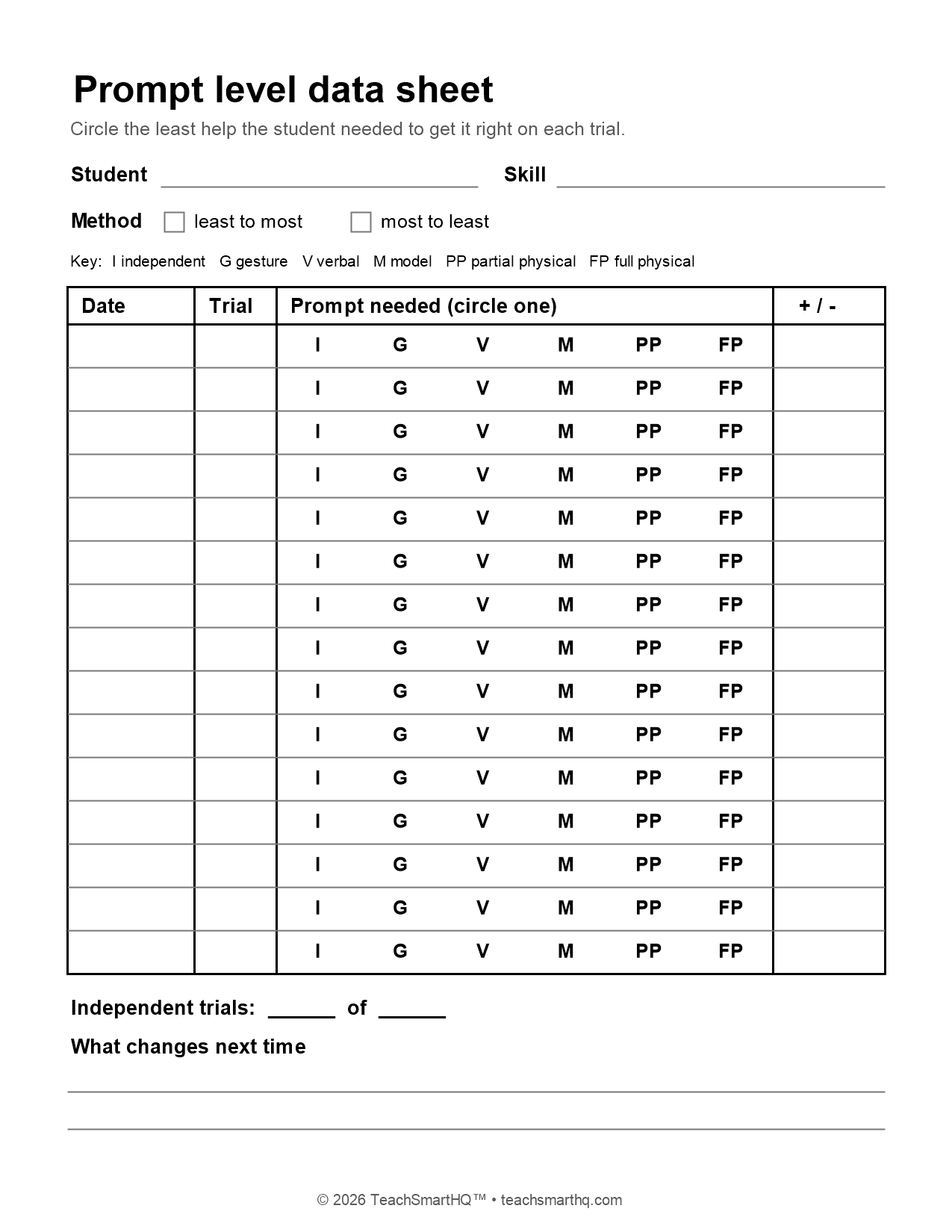
Four things, in this order across the page: the date, the trial number, the prompt level the student needed, and a plus or minus for whether the step came out right.
At the top: the student, the skill in plain words, and the prompt ladder your team uses, printed as a key. Printing the levels on every row, so you circle one instead of writing it, turns a five-second mark into a one-second mark. Open the prompt level data sheet to print it.
Which prompt level do you mark?
Mark the least help the student needed to get it right on that trial. If you gave a gesture, nothing happened, and a verbal prompt did it, mark V.
Mark what you did, not what you meant to do. Every adult nods without noticing. Those nods are prompts, and if they’re not on the sheet the student looks more independent on paper than in the hallway.
If a student got it right before you could prompt, that’s an I, and it’s the best mark on the page. Circle it and enjoy it for exactly one second. The next trial is coming.
Should you prompt from most help to least, or least to most?
Both are real methods, and they fit different moments.
Least to most: wait, then add help one level at a time until the student gets it right. It fits a skill the student partly knows, because it gives independence the first chance.
Most to least: start with enough help that the student gets it right, then fade it across trials. It fits a brand-new skill, or a student for whom repeated mistakes are upsetting, because the student practices the correct response from the start.
Whichever the team picks, write it at the top of the sheet. The marks mean different things under each method, and a sheet without the method written on it is a puzzle for whoever reads it in November.
How do you read prompt level data over time?
Look for the marks moving down the ladder. Week one is mostly M and V. Week four is mostly G and I. That’s progress even if the student hasn’t met the goal yet, and it’s progress a plus-or-minus column would hide.
If the marks sit on the same level for two or three weeks, change the fading plan, not the goal: wait a few seconds longer before prompting, fade to a smaller version of the same prompt, or switch to a prompt type that’s easier to remove. Same target. Fewer hands on it.
For goals written as “independently in 4 of 5 opportunities,” count the I marks. For how to lay any goal check out on a single page, see IEP data collection that happens during the lesson, and for turning weeks of marks into decisions, see progress monitoring in special education.